
セッティングカード (SettingCard)
SettingCard コンポーネントは Frame を継承し、1つの設定項目または情報をカード形式で表示するために設計されています。左側にオプションのアイコン、中央にタイトルと説明、右側には追加のコントロールや情報を表示する content スロットがあります。
SettingExpander と異なり、SettingCard には展開可能なエリアはなく、シンプルで展開しないパネルとして、明確な設定表示に最適です。
基本的な使い方
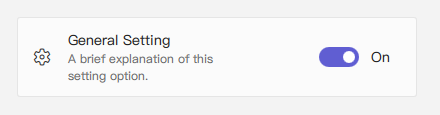
SettingCard は通常、icon(アイコン)、title(タイトル)、description(説明)を含みます。右側には content(デフォルトプロパティ)を使ってコントロールを配置できます。
qml
import QtQuick 2.15
import RinUI

// ...

SettingCard {
    width: 400 // Or Layout.fillWidth: true if in a Layout like ColumnLayout
    icon: "ic_fluent_settings_20_regular" // Fluent icon name for the left area
    title: qsTr("General Setting")
    description: qsTr("A brief explanation of this setting option.")

    // Control placed on the right side via the 'content' default property
    Switch { // This Switch is assigned to the 'content' property
        checked: true
    }
}
## 情報表示としての使用

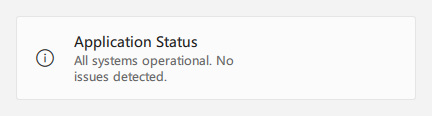
右側にコントロールが不要な場合(つまり `content` を指定しない場合)、統一されたスタイルで情報を表示するカードとして使用できます。

<div align="center">
  <img src="/assets/images/docs/SettingCard/example-3.png" alt="情報表示としての使用">
</div>

<div align="center">
  <img src="/assets/images/ListAndCollections/SettingCard/settingcard-info.png" alt="情報表示としての使用">
</div>

```qml
import RinUI // Consistent import

SettingCard {
    width: 400
    icon: "ic_fluent_info_20_regular"
    title: qsTr("Application Status")
    description: qsTr("All systems operational. No issues detected.")
    // No child items provided for the 'content' slot on the right
}
## 主なプロパティ

* `title`: `string` - カードのタイトル、主に表示されるテキスト。
* `description`: `string` - タイトル下に表示される補足説明。小さなフォントや淡い色で表示。
* `icon`: `string` - 左側のアイコン(Fluent アイコン名、内部は `IconWidget.icon`)。
* `source`: `url` - カスタム画像をアイコンとして使用する場合の URL。
* `iconSize`: `real` - アイコンのサイズ。デフォルトは `20`。
* `content`: `Item` - デフォルトプロパティであり、カード右側に表示される QML アイテムを追加できます(例: Switch, ComboBox)。

**`Frame` から継承されたプロパティ:**

* `color`: `color` - 背景色。
* `radius`: `real` - 角の丸み。
* `borderColor`: `color` - 枠線の色。
* `borderWidth`: `int` - 枠線の太さ。
* `frameless`: `bool` - 枠線・背景を非表示にする。
* `hoverable`: `bool` - ホバー効果を有効にする。
* パディング:デフォルトで `leftPadding: 15`, `rightPadding: 15`, `topPadding: 13`, `bottomPadding: 13`。

## リストでの使用例

`SettingCard` は、それぞれ独立した設定項目の表示に適しており、展開が不要な場面にぴったりです。

<div align="center">
  <img src="/assets/images/docs/SettingCard/example.png" alt="リストでの使用例">
</div>

```qml
import QtQuick.Layouts 1.15 // For ColumnLayout
import RinUI // Consistent import

// ...

ColumnLayout { // Using ColumnLayout for automatic sizing and spacing
    width: 350
    spacing: 2 // Small spacing between cards

    SettingCard {
        Layout.fillWidth: true // Makes the card take the width of the ColumnLayout
        title: qsTr("Profile Visibility")
        icon: "ic_fluent_person_20_regular"
        content: ComboBox { model: ["Public", "Friends Only", "Private"] }
    }
    SettingCard {
        Layout.fillWidth: true
        title: qsTr("Desktop Notifications")
        icon: "ic_fluent_alert_20_regular"
        description: qsTr("Enable or disable desktop notifications.")
        content: Switch { checked: false }
    }
    SettingCard {
        Layout.fillWidth: true
        title: qsTr("Data Sync")
        icon: "ic_fluent_cloud_sync_20_regular"
        description: qsTr("Last synced: 2 hours ago")
        // No control in 'content', just info
    }
}
## 関連コンポーネント

* `Frame`:ベースコンポーネント、背景と枠線を提供。
* `SettingExpander`:詳細な内容を展開表示できる設定用コンポーネント。
* `SettingItem`:よりシンプルな行形式の設定表示に使用。`SettingExpander` の中でよく使われます。