
Skip to content

RinUIBuild Fluent apps with Qt Quick

A Fluent Design UI library for Qt Quick, with native window integration, complete controls, and a shared theme system.

RinUI

Why RinUI ​

RinUI is more than a collection of standalone controls. It provides a shared foundation for Qt Quick desktop applications by bringing windows, navigation, pages, themes, and common controls into one coherent API.

  • A complete window and page structure: FluentWindow already combines NavigationView, the navigation bar, and the content area. Declare pages with navigationItems, then organize each screen with FluentPage.
  • Native desktop window behavior: Windows builds can use Mica, Acrylic, and Tabbed backdrops, custom title bars, frameless windows, and standard window controls. macOS uses native traffic lights, while other platforms fall back safely.
  • A theme that reaches every control: Light, dark, and automatic mode share one set of colors, radii, typography, and motion values. Changing the accent color updates controls, icons, and status colors together.
  • Familiar QML names with complete Fluent states: Button, ComboBox, ListView, Dialog, and other controls keep familiar APIs while adding polished hover, pressed, focus, and disabled states.
  • Icons and localization are ready to use: Fluent System Icons are available through ic_fluent_* names, and the project includes translation resources for extending application copy.
  • A short Python startup path: Create a QApplication, then load the interface with RinUIWindow("main.qml"). Configuration, theme management, and platform window effects are handled by the launcher.

A look at RinUI ​

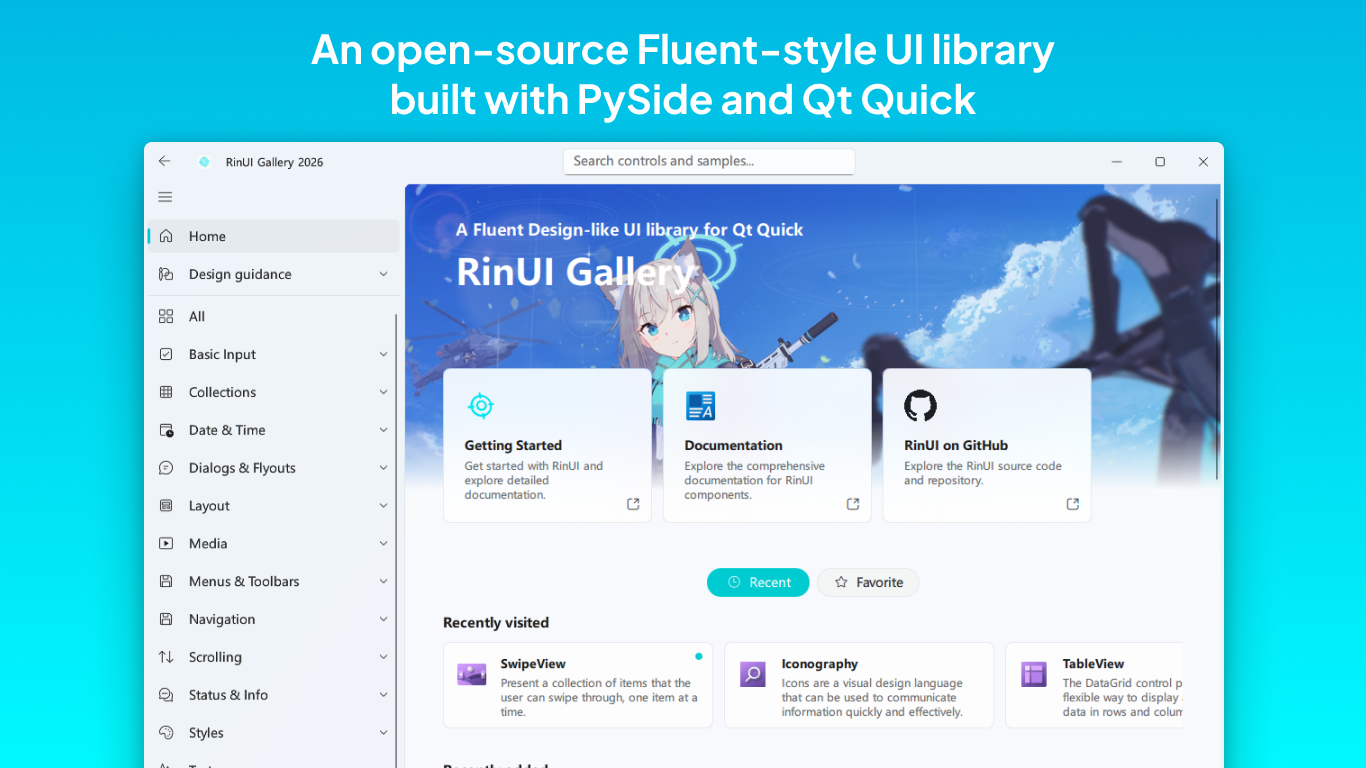
This is the current RinUI Gallery. Switch the documentation theme and the screenshot will follow the matching light or dark interface.

RinUI GalleryRinUI Gallery

Where RinUI fits ​

RinUI is intended for projects that need a desktop window and complete interactions while keeping the development speed of QML:

  • Desktop tools and content managers built with PySide6 and Qt Quick.
  • Internal applications that want a Fluent visual language without rebuilding the window shell and control states from scratch.
  • Prototypes or actively developed products that need navigation, settings pages, dialogs, tables, date selection, and theme switching.

RinUI is not a replacement for a web component library, nor is it intended for projects that must remain entirely on Qt Widgets.
Start with QML you already know ​

Start with QML you already know
qml
import QtQuick
import RinUI

FluentWindow {
    width: 960
    height: 640

    navigationItems: [
        {
            title: "Home",
            icon: "ic_fluent_home_20_regular",
            page: Qt.resolvedUrl("pages/Home.qml")
        }
    ]
}

Create the application window from Python:

python
import sys

from PySide6.QtWidgets import QApplication
from RinUI import RinUIWindow

app = QApplication(sys.argv)
window = RinUIWindow("main.qml")
sys.exit(app.exec())

Continue with:

Project status

RinUI is still under active development. APIs and visual details may continue to change. It is best suited to prototypes, internal tools, and projects that can absorb iteration costs; review release changes before upgrading.

Acknowledgments ​

Thanks to the contributors and maintainers who help build RinUI.

Contributors