
Button
Button is a button control that users can press or click. Buttons are typically used to perform actions or answer questions.
Like native components in QtQuick, when a button is activated by the user, it emits a clicked() signal. Connecting this signal allows the execution of actions associated with the button. The usage method is consistent with native controls.
A Basic Button

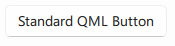
qml
Button {
    text: qsTr("Standard QML Button")
}
## Button with Icon

<div align="center">
  <img src="/assets/images/docs/Button/example.png" alt="Button with Icon">
</div>

<div align="center">
  <img src="/assets/images/BasicInput/Button/IconButton.png" alt="Button with Icon">
</div>

```qml
Button {
    icon.source: Qt.resolvedUrl("../../assets/BA_Pic_Shiroko-chibi.png")   // [!code highlight]
    text: qsTr("Sunaookami Shiroko")
}

Button {
    icon.name: "ic_fluent_button_20_regular"  // [!code highlight]
    text: qsTr("Button with Icon")
}
## Highlighted Button

<div align="center">
  <img src="/assets/images/docs/Button/flat.png" alt="Highlighted Button">
</div>

<div align="center">
  <img src="/assets/images/BasicInput/Button/AccentStyleButton.png" alt="Highlighted Button">
</div>

```qml
Button {
    highlighted: true
    text: qsTr("Accent Style Button")
}
## Flat Button

<div align="center">
  <img src="/assets/images/docs/Button/highlighted-2.png" alt="Flat Button">
</div>

<div align="center">
  <img src="/assets/images/BasicInput/Button/PlainStyleButton.png" alt="Flat Button">
</div>

```qml
Button {
    flat: true
    text: qsTr("Plain Style Button")
}
## Custom Button (Highlighted)

<div align="center">
  <img src="/assets/images/docs/Button/highlighted.png" alt="Custom Button (Highlighted)">
</div>

<div align="center">
  <img src="/assets/images/BasicInput/Button/ButtonWithCustomColor.png" alt="Custom Button (Highlighted)">
</div>

```qml
Button {
    highlighted: true
    primaryColor: "#444"
    text: qsTr("Button with Custom Color")
}