
ToolButton
A ToolButton is a specialized Button typically used for actions in toolbars or similar compact UI areas. It's often configured to display only an icon but can also show text. RinUI's ToolButton provides convenient aliases (size and color) for controlling aspects of its internal IconWidget.
Basic ToolButton (Icon-Only)
ToolButtons are frequently used as icon-only buttons, often with flat: true for a less intrusive look suitable for toolbars.

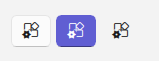
qml
import QtQuick 2.15
import RinUI

// ...

ToolButton {
    icon.name: "ic_fluent_apps_settings_20_regular"
    onClicked: {
        console.log("Settings ToolButton clicked");
    }
}
## Key Properties

*   `icon.name`: `string` - The name of the Fluent icon to display via the internal `IconWidget`. This is the **recommended** way to set the icon.
*   `text`: `string` - Text to display on the button.
*   `size`: `real` - (Alias) Sets the `size` property of the internal `IconWidget`, controlling the visual size of the icon. Defaults to `20` within the `ToolButton`'s `IconWidget` definition.
*   `color`: `color` - (Alias) Sets the `color` property of the internal `IconWidget`.
*   `flat`: `bool` - Inherited from `Button`. While `Button` defaults to `false`, `ToolButton`s are often explicitly set to `flat: true` for a typical toolbar appearance.
*   `enabled`: `bool` - Whether the control is interactive. Defaults to `true`.

As `ToolButton` inherits from `Button`, all standard `Button` properties (like `highlighted`, `checkable`, `primaryColor`, styling for different states) and signals (like `onClicked`) are available.

## Example: Usage as ComboBox Indicator

RinUI's `ComboBox` uses a `ToolButton` internally as its dropdown arrow indicator:
<div align="center">
  <img src="/assets/images/docs/ToolButton/example.png" alt="Example: Usage as ComboBox Indicator">
</div>

```qml
// ComboBox.qml 中指示器的代码片段
ToolButton {
    flat: true
    icon.name: "ic_fluent_chevron_down_20_regular"
    size: 14
    color: Theme.currentTheme.colors.textSecondaryColor
    // ... 其他属性
}
This demonstrates a common use case for a flat, icon-only `ToolButton`.