
CheckBox
The CheckBox control allows users to make a binary choice, such as selecting or deselecting an option. Checkboxes can also be used to represent a tri-state selection, often used in "select all" scenarios.
Basic CheckBox
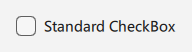
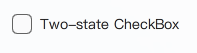
A CheckBox can be used for simple boolean selections.
qml
import QtQuick 2.15
import RinUI

// ...

CheckBox {
    text: qsTr("Standard CheckBox")
    // checked: true // 用于初始选中
}
## Three-State CheckBox

Set the `tristate` property to `true` to enable a third "indeterminate" state. This is visually distinct and often used to indicate that an option is set for some, but not all, child items.

The `checkState` property can be:
- `Qt.Checked`
- `Qt.Unchecked`
- `Qt.PartiallyChecked` (when `tristate` is true)

<div align="center">
  <img src="/assets/images/docs/CheckBox/example-3.png" alt="Three-State CheckBox">
</div>

<div align="center">
  <img src="/assets/images/BasicInput/CheckBox/checkbox-tristate.png" alt="Three-State CheckBox">
</div>

```qml
CheckBox {
    text: qsTr("Three-state CheckBox")
    tristate: true
    // P编程方式设置:
    // checkState: Qt.PartiallyChecked
}
## Grouped CheckBoxes

CheckBoxes can be used to control a parent "select all" CheckBox. The example `examples/pages/controls/CheckBox.qml` demonstrates this using `ButtonGroup`.

<div align="center">
  <img src="/assets/images/docs/CheckBox/example.png" alt="Grouped CheckBoxes">
</div>

<div align="center">
  <img src="/assets/images/BasicInput/CheckBox/checkbox-grouped.png" alt="Grouped CheckBoxes">
</div>

```qml
// 简化概念;完整用法请参考 examples/pages/controls/CheckBox.qml 中的 ButtonGroup
Column {
    CheckBox {
        id: parentBox
        text: qsTr("Select all")
        tristate: true
        // 实际场景中,parentBox.checkState 会根据子项状态进行管理
    }

    CheckBox {
        text: qsTr("Option 1")
        // 将选中状态连接到更新 parentBox 的逻辑
    }

    CheckBox {
        text: qsTr("Option 2")
        // 将选中状态连接到更新 parentBox 的逻辑
    }
}
> Note: The example in `Rin-UI/examples/pages/controls/CheckBox.qml` provides a complete implementation for grouped checkboxes using `ButtonGroup`.

## Key Properties

*   `text`: `string` - The label displayed next to the CheckBox.
*   `checked`: `bool` - For two-state checkboxes, `true` if checked, `false` otherwise.
*   `checkState`: `enumeration` - The current state (`Qt.Unchecked`, `Qt.Checked`, `Qt.PartiallyChecked`).
*   `tristate`: `bool` - If `true`, the CheckBox supports three states. Defaults to `false`.
*   `primaryColor`: `color` - The color of the checkmark and indicator when checked or partially checked.
*   `backgroundColor`: `color` - The background color of the indicator box when unchecked.
*   `spacing`: `real` - Spacing between the indicator and the text label.
*   `enabled`: `bool` - Whether the control is interactive.