
ページインジケーター (PageIndicator)
PageIndicator はページ番号を表示せず、点の並びでページ分割されたコレクション内の現在位置を示します。画像カルーセルやステップ形式のページで SwipeView と組み合わせて使え、点をクリックして移動する操作にも対応します。
SwipeView との連携
count と currentIndex をページビューにバインドし、インジケーター側の変更をビューへ反映します。
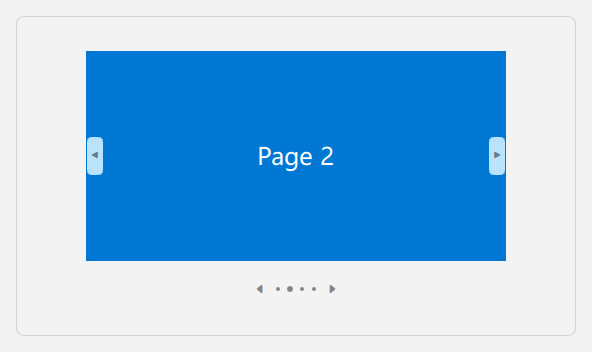
qml
ColumnLayout {
    SwipeView {
        id: pages
        Layout.preferredWidth: 400
        Layout.preferredHeight: 270
        currentIndex: 0

        Rectangle { color: "#E74856" }
        Rectangle { color: "#0078D4" }
        Rectangle { color: "#6B69D6" }
        Rectangle { color: "#107C10" }
    }

    PageIndicator {
        id: indicator
        count: pages.count
        currentIndex: pages.currentIndex
        interactive: true
        onCurrentIndexChanged: pages.currentIndex = currentIndex
        Layout.alignment: Qt.AlignHCenter
    }
}
## 前後移動の矢印

`caret` を有効にすると前後移動の矢印が表示されます。移動先のページがある場合にのみ該当する矢印が表示されます。点または矢印をクリックすると `currentIndex` が更新されます。


```qml
PageIndicator {
    count: 8
    currentIndex: 2
    interactive: true
    caret: true
}
## 主なプロパティ

| プロパティ | 説明 |
| --- | --- |
| `count` | ページの合計数。 |
| `currentIndex` | 現在のページのインデックス。 |
| `interactive` | 点や矢印をクリックして移動できるかどうか。 |
| `caret` | 前後移動矢印を表示するかどうか。 |
| `spacing` | インジケーターの点の間隔。 |

## 関連項目

- [SwipeView](/ja/ListAndCollections/SwipeView):ページコンテンツ用のコンテナー。