
PageIndicator
PageIndicator uses a row of dots to show the current position in a paginated collection without displaying page numbers. It is commonly paired with SwipeView for image carousels and step-based pages, and can be interactive.
With SwipeView
Bind count and currentIndex to the paginated view, and propagate changes from the indicator back to the view.
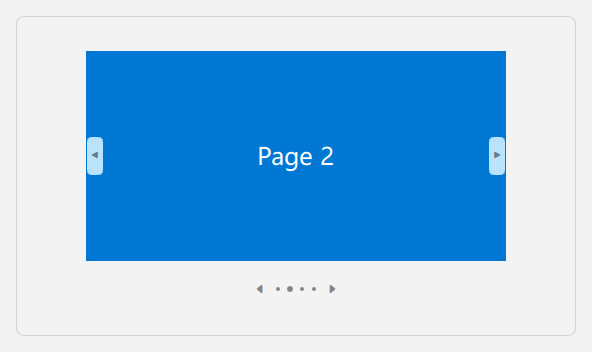
qml
ColumnLayout {
    SwipeView {
        id: pages
        Layout.preferredWidth: 400
        Layout.preferredHeight: 270
        currentIndex: 0

        Rectangle { color: "#E74856" }
        Rectangle { color: "#0078D4" }
        Rectangle { color: "#6B69D6" }
        Rectangle { color: "#107C10" }
    }

    PageIndicator {
        id: indicator
        count: pages.count
        currentIndex: pages.currentIndex
        interactive: true
        onCurrentIndexChanged: pages.currentIndex = currentIndex
        Layout.alignment: Qt.AlignHCenter
    }
}
## Previous and Next Arrows

Set `caret` to show previous and next arrows. An arrow is visible only when a page exists in that direction. Clicking a dot or arrow updates `currentIndex`.


```qml
PageIndicator {
    count: 8
    currentIndex: 2
    interactive: true
    caret: true
}
## Properties

| Property | Description |
| --- | --- |
| `count` | Total number of pages. |
| `currentIndex` | Index of the current page. |
| `interactive` | Whether dots and arrows can be clicked to navigate. |
| `caret` | Whether previous and next arrows are shown. |
| `spacing` | Spacing between indicator dots. |

## Related

- [SwipeView](/ListAndCollections/SwipeView): a container for paginated content.