
TextField
TextField is a single-line text input control, similar to the standard QML TextField, but with added custom styling and functionality. It supports text input, selection, and editing, and provides custom styling options.
Basic Usage
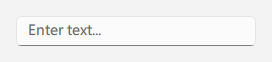
qml
TextField {
    id: control
    width: 240
    placeholderText: qsTr("Enter text...")
}
## Text Field with Clear Button

<div align="center">
  <img src="/assets/images/docs/TextField/example-3.png" alt="Text Field with Clear Button">
</div>

```qml
TextField {
    id: control
    width: 240
    placeholderText: qsTr("Search...")
    clearEnabled: true
}
## Custom Styling

<div align="center">
  <img src="/assets/images/docs/TextField/example-4.png" alt="Custom Styling">
</div>

```qml
TextField {
    id: control
    width: 240
    placeholderText: qsTr("Enter text...")
    primaryColor: "#3A86FF"
}
## Frameless Mode

<div align="center">
  <img src="/assets/images/docs/TextField/example-5.png" alt="Frameless Mode">
</div>

```qml
TextField {
    id: control
    width: 240
    placeholderText: qsTr("Enter text...")
    frameless: true
}
## Read-Only Mode

<div align="center">
  <img src="/assets/images/docs/TextField/example.png" alt="Read-Only Mode">
</div>

```qml
TextField {
    id: control
    width: 240
    text: qsTr("Read-only text")
    editable: false
}
## Important Properties

- `text`: Text displayed in the control
- `placeholderText`: Placeholder text shown when control is empty
- `editable`: Whether to allow user text editing
- `clearEnabled`: Whether to show clear button
- `frameless`: Whether to show border
- `primaryColor`: Custom theme color
- `selectByMouse`: Whether to allow text selection via mouse