
Card (Interactive Surface)
WARNING
This control was renamed from Clip to Card. The qmldir keeps the legacy clip name for compatibility; use Card in new code.
Card is a specialized Button that provides a clickable surface with a customizable frame appearance. It uses an internal Frame for its background and exposes properties for the frame color, corner radius, and border.
Despite its name, Card is not primarily a graphical clipping item like Item.clip: true; it is a styled interactive surface.
Basic Usage
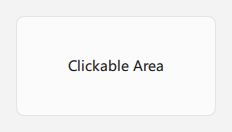
Card can serve as a clickable area with a defined appearance. Its inherited contentItem is an empty Item by default, so it is not intended to display text or icon.name like a standard button. Add QML items as children to place visuals over its styled background.
qml
import QtQuick 2.15
import RinUI

Card {
    id: myClickableSurface
    width: 200
    height: 100
    backgroundColor: Theme.currentTheme.colors.controlColor
    radius: 8
    borderColor: Theme.currentTheme.colors.controlBorderColor
    borderWidth: 1

    onClicked: console.log("Card surface clicked!")

    Text {
        anchors.centerIn: parent
        text: qsTr("Clickable Area")
    }
}
Properties
color: Alias for the internal frame background; interchangeable withbackgroundColor.radius: Corner radius of the surface.borderColor: Border color.borderWidth: Border width.backgroundColor: Background color inherited from the button implementation and applied to the internal frame.- Standard
Buttonproperties such asenabled,flat,highlighted, andcheckableare also available.
Signals
onClicked(): Emitted when the Card surface is clicked.- Other
Buttonsignals, such aspressedChangedandreleased, are also available.
Notes
- The default
contentItemis empty. To use button-style text or icon content, customize or replacecontentItem; otherwise, add visual children directly toCard. Carddescribes a styled interactive surface, not a child-clipping item.- The visual background is provided by
Frame.