
AcrylicBrush
AcrylicBrush is RinUI's in-app translucent material. It blurs a supplied sourceItem and blends a tint over it, making it useful for panels and overlays. This is an in-content effect, not a system-level window backdrop.
Basic Usage
Set sourceItem to the background item behind the acrylic surface.
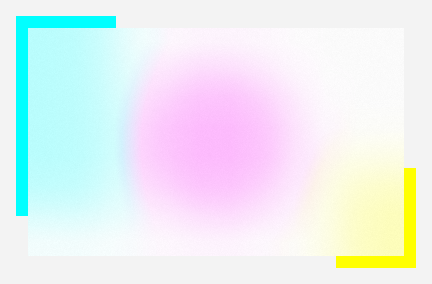
qml
Item {
    Rectangle {
        id: scene
        anchors.fill: parent
        color: "#247BA0"
    }

    Rectangle {
        anchors.centerIn: parent
        width: 320
        height: 180
        color: "transparent"

        AcrylicBrush {
            anchors.fill: parent
            sourceItem: scene
            tintColor: "#F3F3F3"
            tintOpacity: 0.72
        }
    }
}
## Blur and Tint

Use `blur`, `tintColor`, and `tintOpacity` to tune the material. `fallbackColor` provides a solid color if the effect cannot be rendered.

<div align="center">
  <img src="/assets/images/docs/AcrylicBrush/custom-in-app-acrylic.png" alt="Blur and Tint">
</div>

```qml
AcrylicBrush {
    sourceItem: background
    blur: 72
    tintColor: "#86Cce8"
    tintOpacity: 0.85
}
## Luminosity Blend

`tintLuminosityOpacity` controls luminosity blending in addition to the tint.

<div align="center">
  <img src="/assets/images/docs/AcrylicBrush/luminosity-acrylic.png" alt="Luminosity Blend">
</div>

```qml
AcrylicBrush {
    sourceItem: background
    tintColor: "#86Cce8"
    tintOpacity: 0.85
    tintLuminosityOpacity: 0.85
}
## Fallback and Enable State

Set `enabled` to toggle the effect. When it is disabled or unavailable, the brush can use `fallbackColor`.

<div align="center">
  <img src="/assets/images/docs/AcrylicBrush/fallback-and-enabled.png" alt="Fallback and Enable State">
</div>

```qml
AcrylicBrush {
    sourceItem: background
    fallbackColor: "darkgreen"
    enabled: true
}
## Properties

| Property | Description |
| --- | --- |
| `sourceItem` | Background item sampled by the brush. |
| `blur` | Background blur strength. |
| `tintColor` | Acrylic tint color. |
| `tintOpacity` | Tint opacity, usually from `0` to `1`. |
| `tintLuminosityOpacity` | Luminosity blend opacity. |
| `fallbackColor` | Solid fallback color when the effect is unavailable. |
| `enabled` | Whether the material effect is enabled. |

## Related

- [Theme](/core/theme): theme colors and appearance.
- [FluentWindow](/Windowing/FluentWindow): window-level backdrops and window behavior.